> For the complete documentation index, see [llms.txt](https://bluegamma.io/documentation/llms.txt). Markdown versions of documentation pages are available by appending `.md` to page URLs; this page is available as [Markdown](https://bluegamma.io/documentation/pricers/calculating-the-mtm-of-a-swap/forecast-mtm.md).
# Forecast MtM
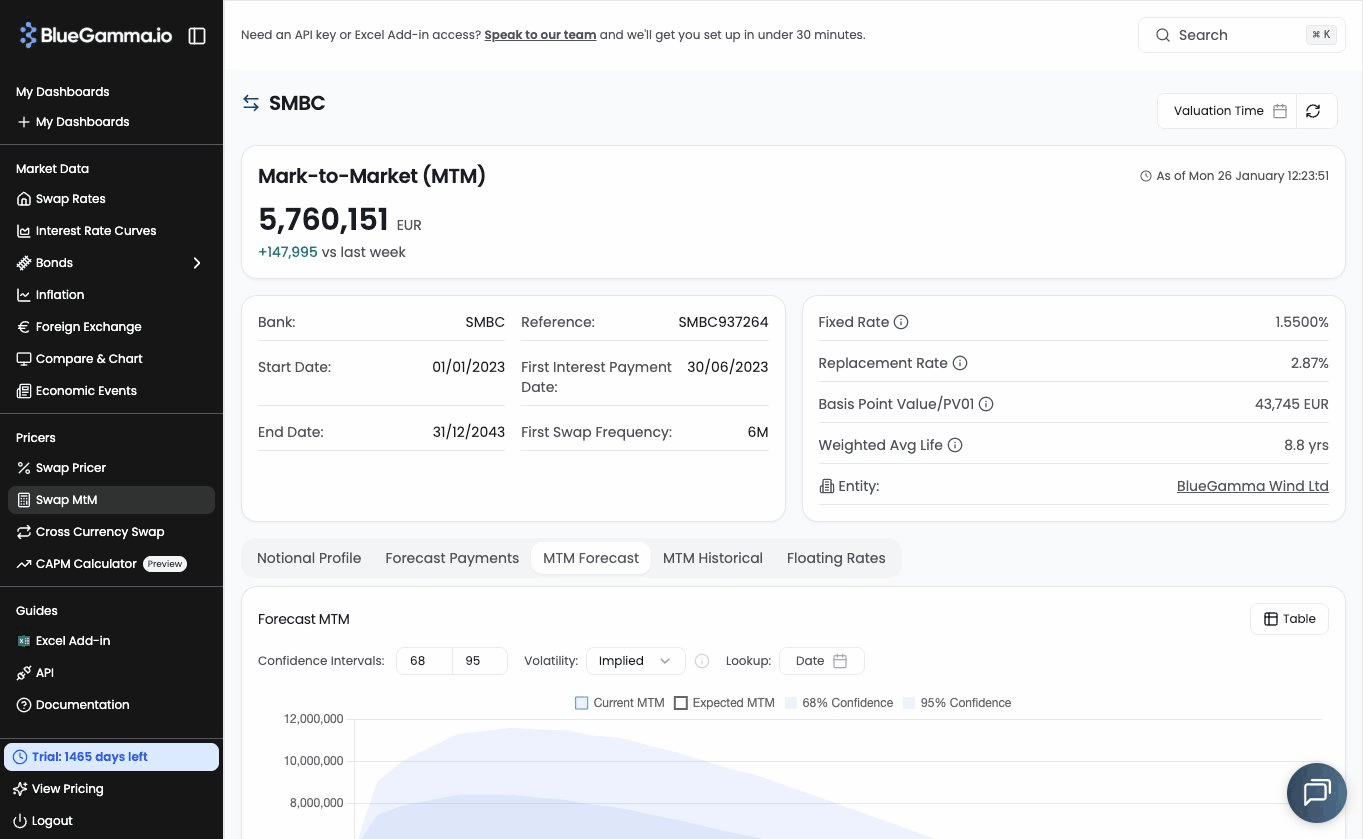
Forecast the range of potential Mark-to-Market values for a swap over time, using volatility-based confidence bands.
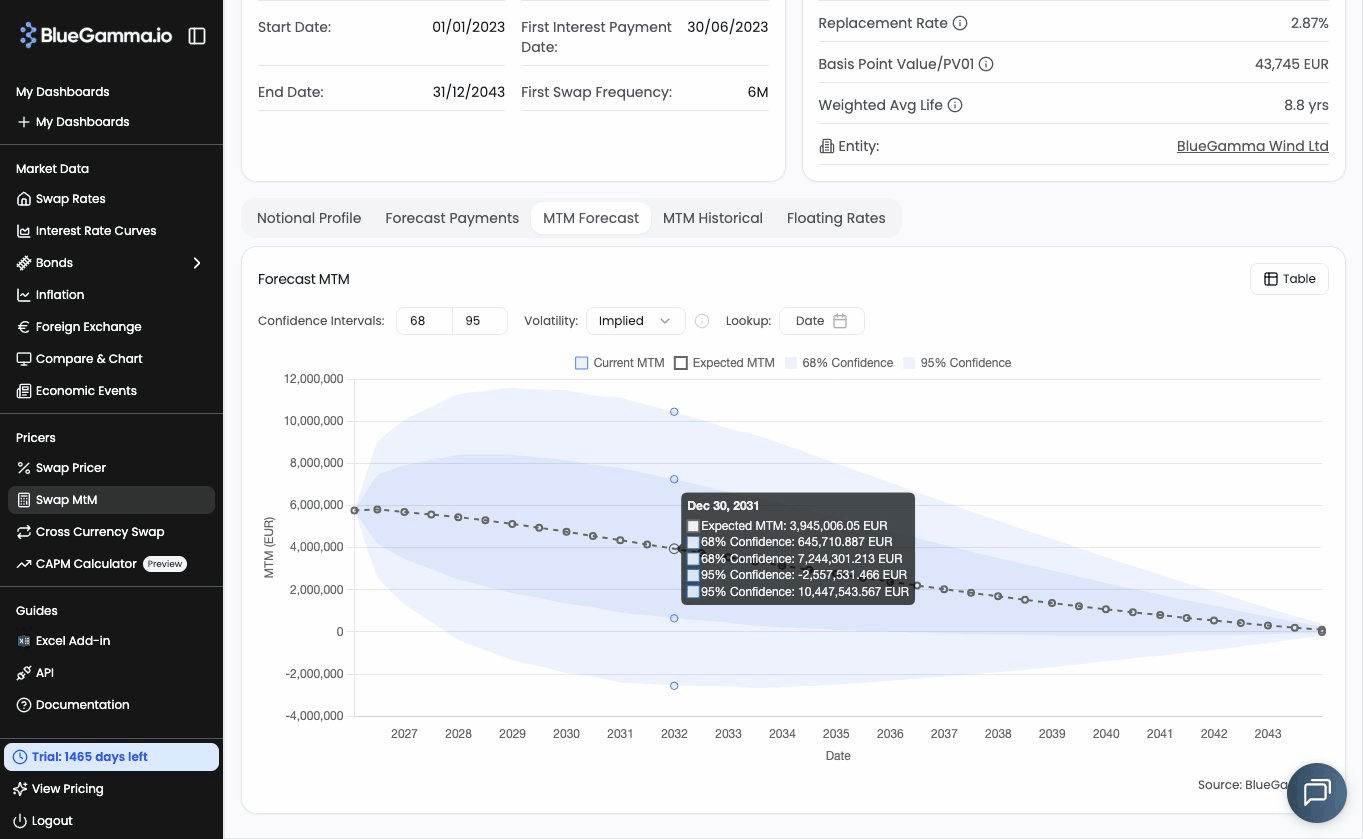
The Forecast MtM tool projects the expected Mark-to-Market path of a swap over its remaining life, and overlays confidence bands showing the range of potential MtM outcomes at each future date.
This is particularly useful when assessing **pre-hedging exposure**, for example understanding MtM exposure ahead of Financial Close, or for **guarantee sizing**, where you need to estimate the potential range of MtM outcomes over a given period.
***
### How It Works
The Forecast MtM uses your swap's cashflow structure, combined with market volatility data, to estimate:
* **Expected MtM** -the projected MtM at each future date, assuming rates remain unchanged (i.e. the swap's MtM as it rolls down the curve).
* **Confidence bands** -upper and lower MtM bounds at configurable confidence levels (default: 68% and 95%), representing the range of likely MtM outcomes given market volatility.
The core formula for each future cashflow date is:
> **Scenario MtM = Expected MtM ± (PV01 × z-score × volatility × √time)**
Where:
* **PV01** is the swap's sensitivity to a 1 basis point move in rates (calculated from remaining cashflows).
* **z-score** corresponds to the chosen confidence level (e.g. 1.0 for 68%, 1.96 for 95%).
* **Volatility** is the annualised rate volatility (either implied or historical -see below).
* **Time** is the time in years to the future date.
***
### 1. Navigate to a Swap
* Log in to [BlueGamma](https://app.bluegamma.io/).
* From the left-hand navigation menu, click [**Swap MtM**](https://app.bluegamma.io/swap-mtm).
* Open an entity and click into an individual swap.
***
### 2. View the Forecast MtM
Scroll down to the **Forecast MTM** card. This shows:
* A **graph view** with the expected MtM line (dashed) and shaded confidence cones.
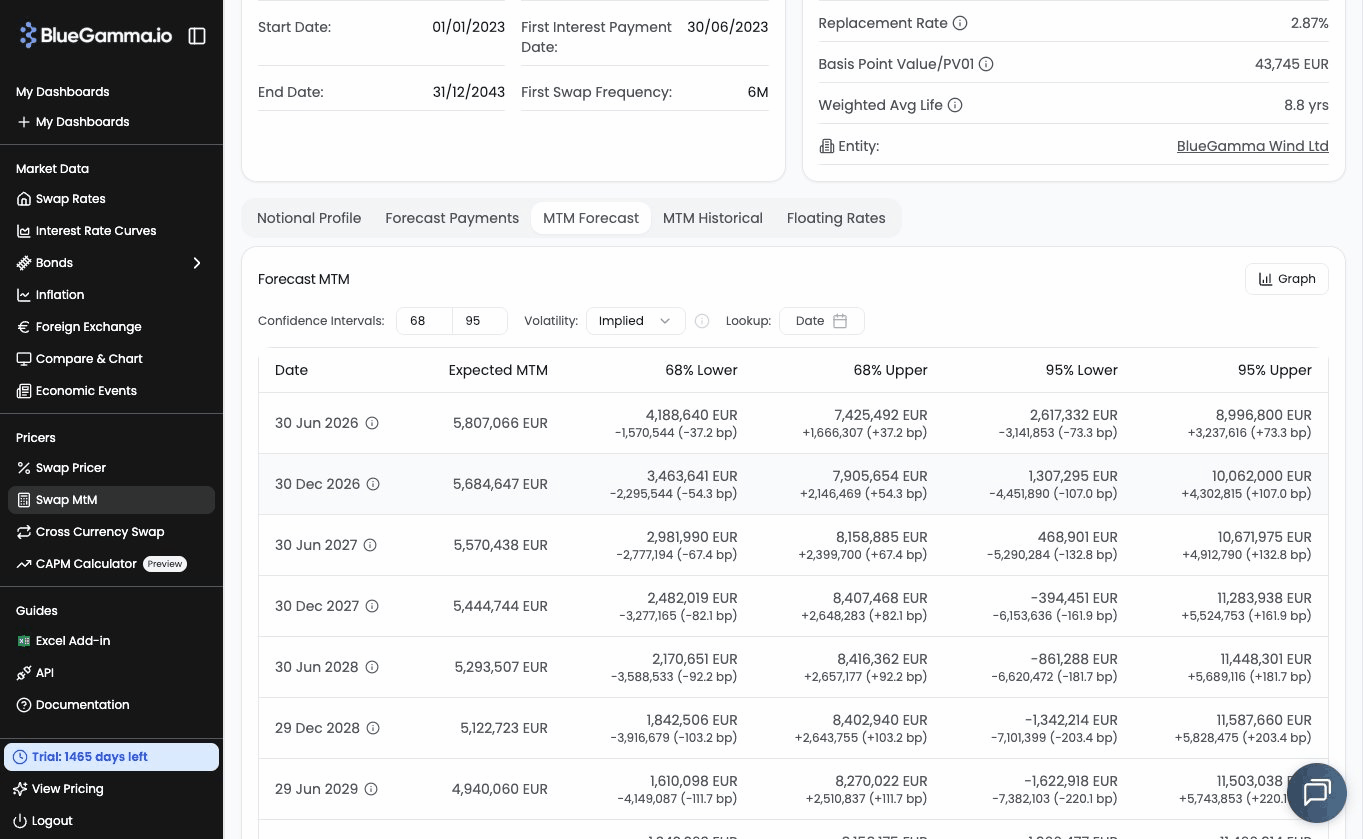
* A **table view** with the underlying data for each future date.
You can toggle between graph and table using the view selector in the top-right of the card.
***
### 3. Configure Confidence Levels
By default, the tool shows **68%** (1 standard deviation) and **95%** (2 standard deviations) confidence bands. You can customise these by entering different values in the confidence interval inputs.
For example, setting the levels to 50 and 90 would show tighter and wider bands respectively.
***
### 4. Choose a Volatility Method
You can choose between two volatility sources:
* **Implied** -uses swaption market volatility for the matching expiry and tenor. This reflects current market expectations and is the default.
* **Historical** -uses 180-day rolling volatility of actual swap rate movements. This reflects realised market behaviour.
Select your preferred method from the **Volatility** dropdown.
***
### 5. Look Up a Specific Date
Use the **Lookup** date picker to select a specific future date (e.g. your expected Financial Close date). The tool will display a summary showing:
* The expected MtM at that date.
* The upper and lower MtM bounds at each confidence level.
* The implied basis point move and PV01 at that point.
This is useful for answering specific questions like *"What is my MtM exposure in 6 months?"*.
***
### Entity-Level Forecast MtM
At the entity level (before drilling into an individual swap), a **Forecast MtM** chart shows the aggregated expected MtM path across all swaps in the entity. This represents the combined net present value of all swaps at each future date, based on current market expectations.
***
### Methodology
The Forecast MtM calculation follows these steps:
1. **Price the swap** using current market rates to determine the starting MtM and cashflow structure.
2. **Calculate the expected MtM runoff** -the projected MtM at each future cashflow date, assuming rates remain unchanged.
3. **For each future date**, estimate the PV01 of the remaining cashflows from that date forward.
4. **Look up the volatility** for the relevant expiry (time to the future date) and tenor (remaining life of the swap from that date).
5. **Calculate the MtM bands** using: `Expected MtM ± (PV01 × z-score × σ × √t)`.
This approach provides a directionally accurate estimate of MtM exposure that accounts for current market conditions, without requiring a full Monte Carlo simulation.
---
# Agent Instructions
This documentation is published with GitBook. GitBook is the documentation platform designed so that both humans and AI agents can read, navigate, and reason over technical content effectively. Learn more at gitbook.com.
## Querying This Documentation
If you need additional information that is not directly available in this page, you can query the documentation dynamically by asking a question.
Perform an HTTP GET request on the current page URL with the `ask` query parameter, and the optional `goal` query parameter:
```
GET https://bluegamma.io/documentation/pricers/calculating-the-mtm-of-a-swap/forecast-mtm.md?ask=&goal=
```
`ask` is the immediate question: it should be specific, self-contained, and written in natural language.
`goal` is optional and describes the broader end goal you are ultimately trying to accomplish on behalf of the user. GitBook uses it to tailor the answer towards what is most useful for that goal.
The response will contain a direct answer to the question and relevant excerpts and sources from the documentation.
Use this mechanism when the answer is not explicitly present in the current page, you need clarification or additional context, or you want to retrieve related documentation sections.