
Custom Dashboards:
Your Rates, Curves & Swaps Data All in One Place
No more clicking around: Stop digging through tabs and stale screenshots.
Create a single view of the rates and curves that matter to you most, monitor the market in one place.
Save Time: No More Repeated Setups
Birds Eye View: One Consolidated View, Always Up-to-Date
Easy Downloads: Download Data from Key Widgets
Trusted by

















What You Can Do With Custom Dashboards
Every day, financial modellers, treasury teams, and analysts waste time repeating the same workflows:
Pulling Forward Curves
Checking Swap Rates
Track Market Moves
Now you don’t have to waste time repeating the same steps every time.
Build a Custom Dashboard from a range of widgets
Choose from a growing library of widgets to build your perfect market view.
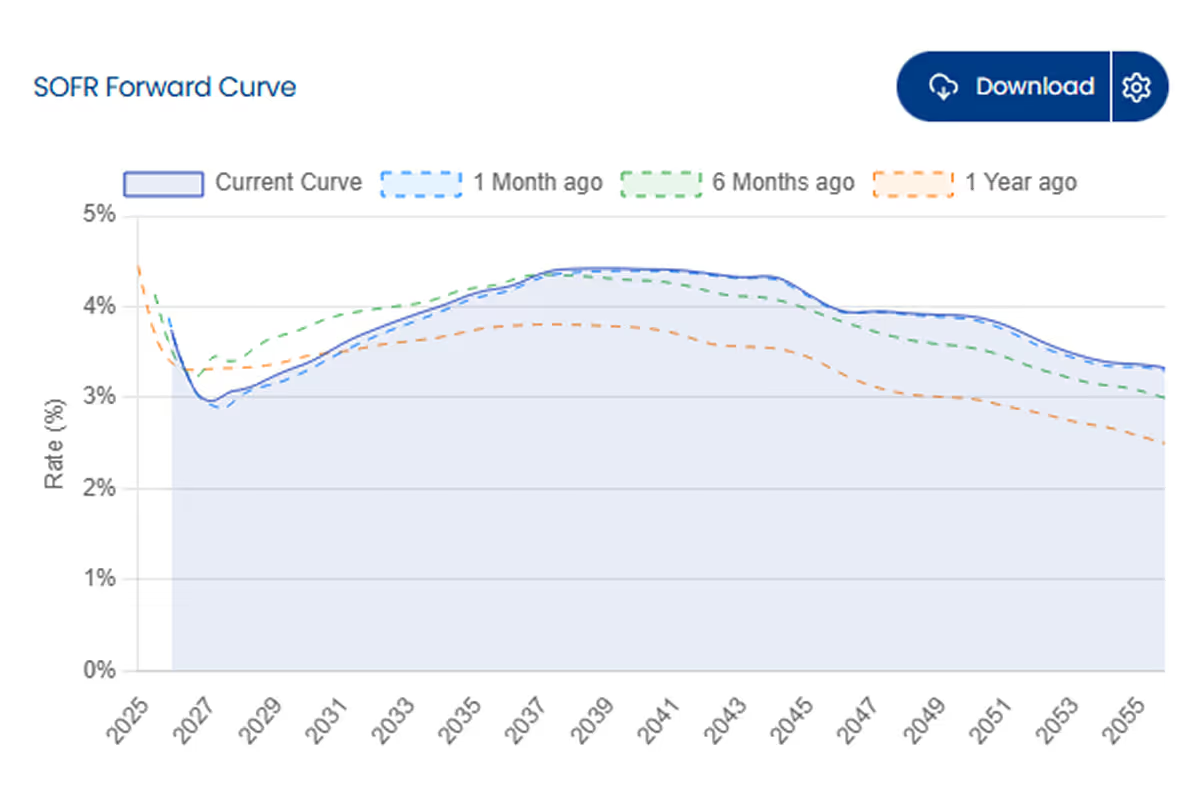
Forward Curve
Display how the forward curve has changed over time for your chosen index
Best for: Visualising market expectations and historical shifts in pricing.
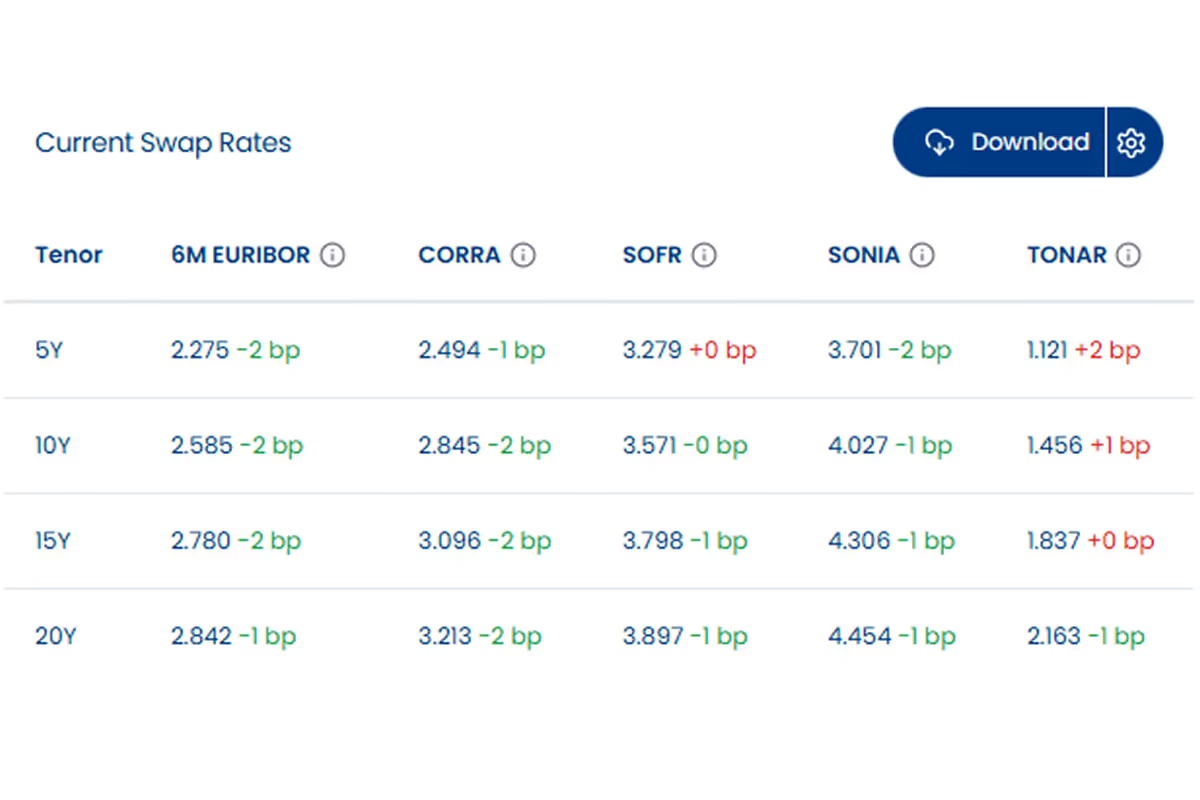
Swap Rates
View swap rates across selected indexes and tenors, including the latest daily changes
Best for: At-a-glance monitoring of current hedging costs across your most-watched indexes and tenors.
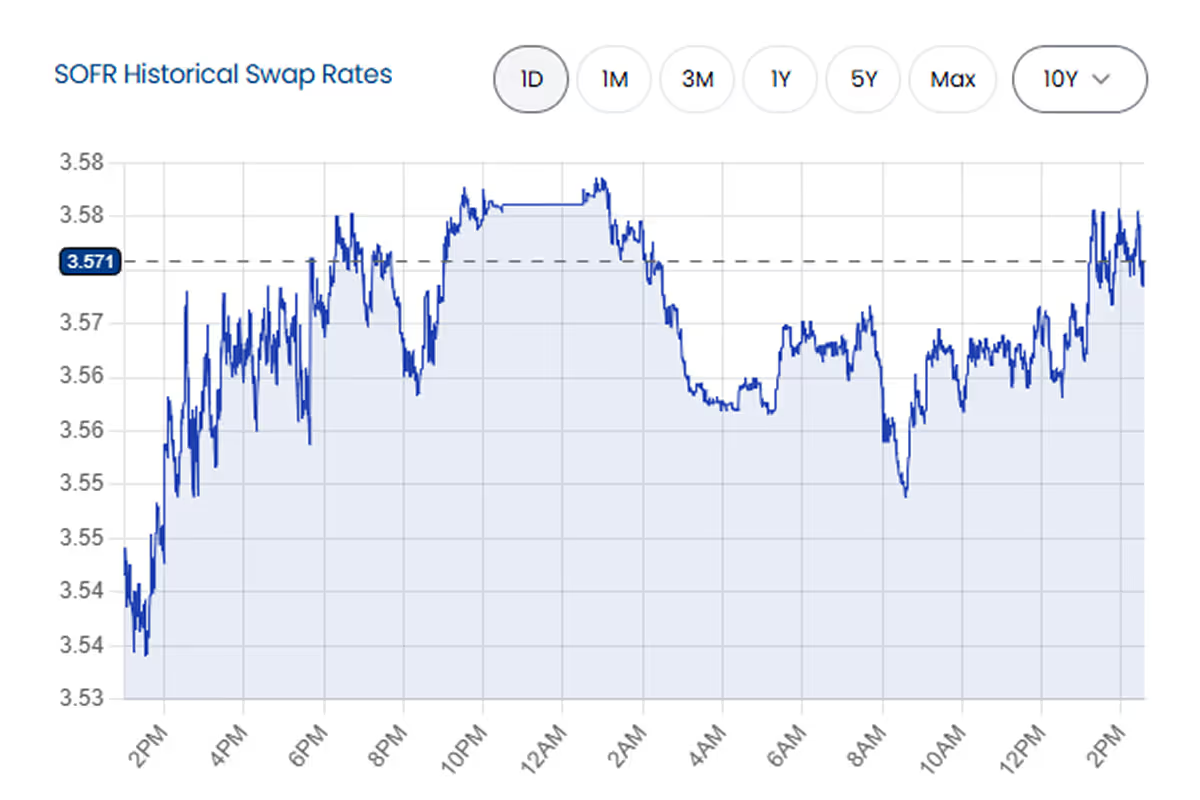
Historical Swap Rate Chart
Display how a swap rate has moved over time
Best for: Analysing trends, volatility, and historical context for a specific swap rate.
Single Swap Rate
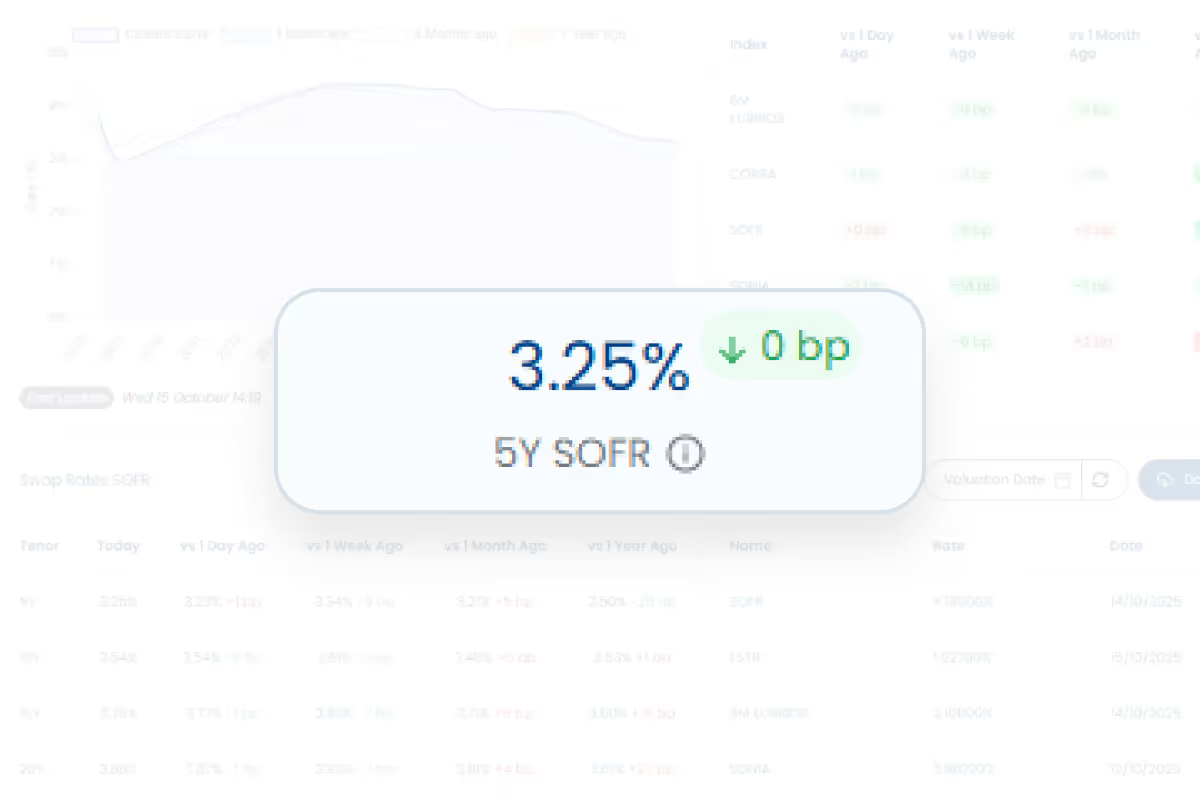
Display the current rate for a specific index and tenor
Best for: Pinpointing and constantly tracking one specific rate that is critical to your portfolio or analysis.
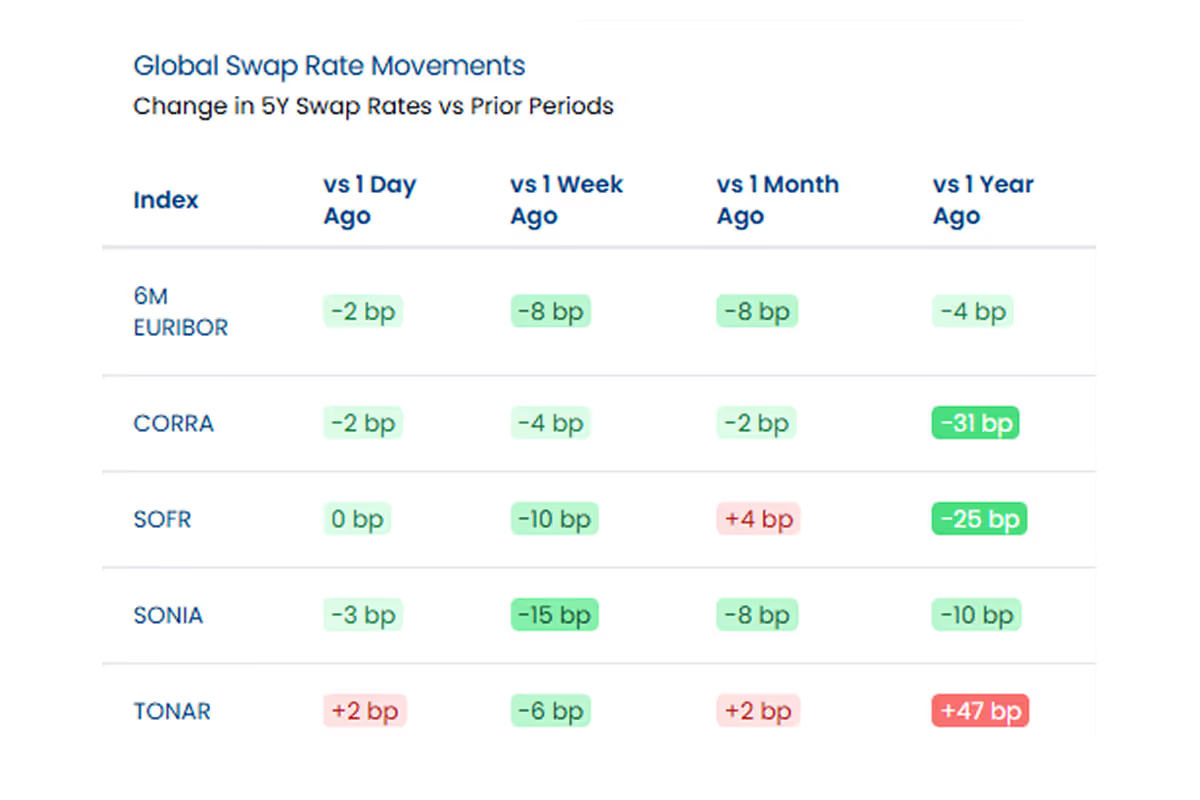
Swap Rate Heatmap
Heatmap of swap rate movements across different time horizons
Best for: Instantly identifying momentum and performance across different time horizons.
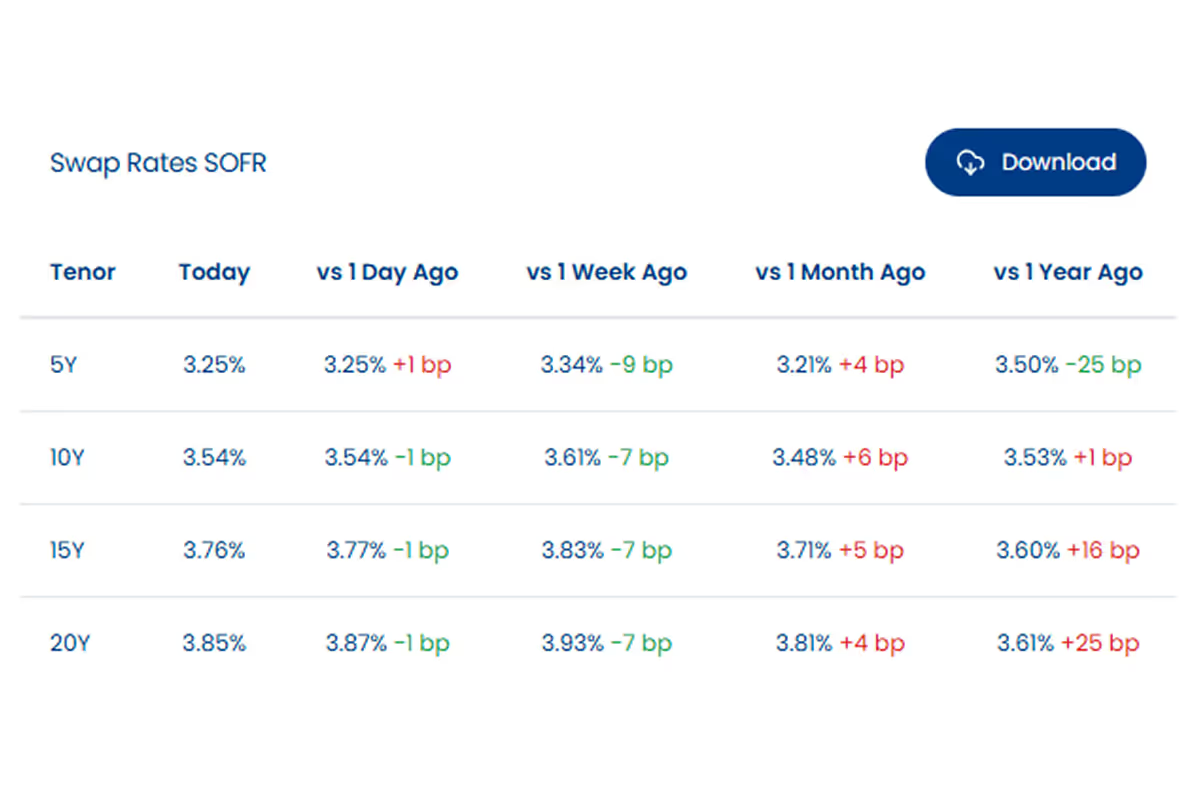
Swap Rate Matrix
Matrix table of swap rates across different tenors and time periods
Best for: Quickly comparing the entire term structure of swap rates across different indexes in one table.
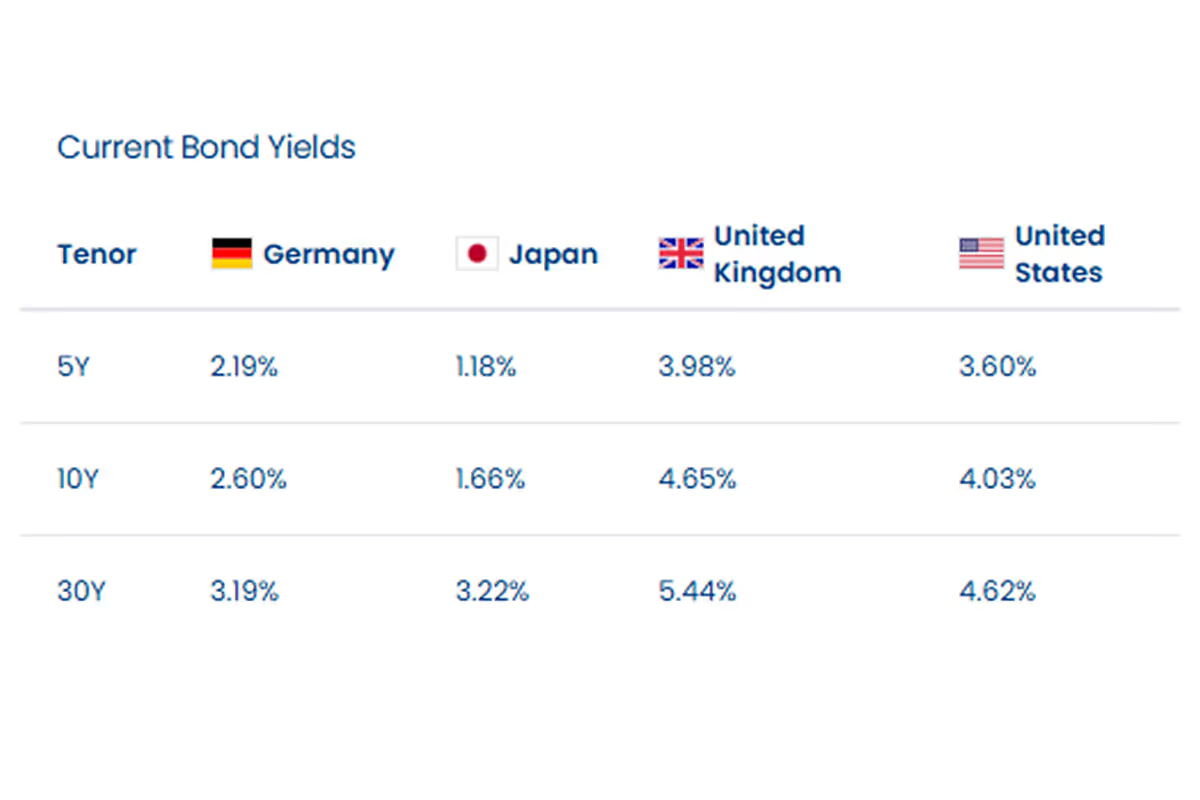
Bond Yields
Table of government bond yields by country and tenor
Best for: Comparing government debt yields across different countries and maturities at a glance.
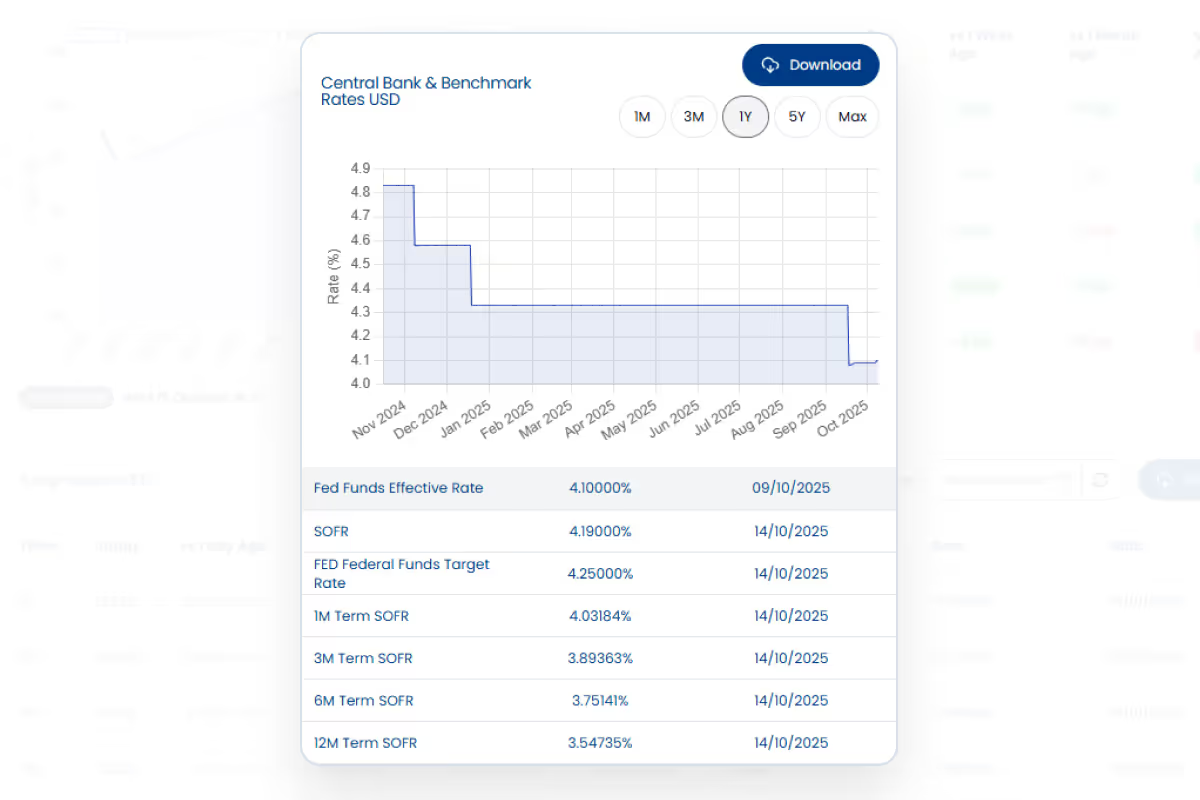
Global Central Bank & Benchmark Rates
Display central bank and benchmark rates across multiple currencies
Best for: A high-level, macro view of global monetary policy and key benchmark rates.
Try building your own Custom Dashboard
Its super easy to quickly build a Custom Dashboard to get all of your Curves and Swap Rates data in one place.
Customise Your Dashboard’s Layout
Choose from a growing library of widgets to build your perfect market view.
Download Data from Widgets Easily
Easily download data from Key widgets, saving you time from having to find the right page.
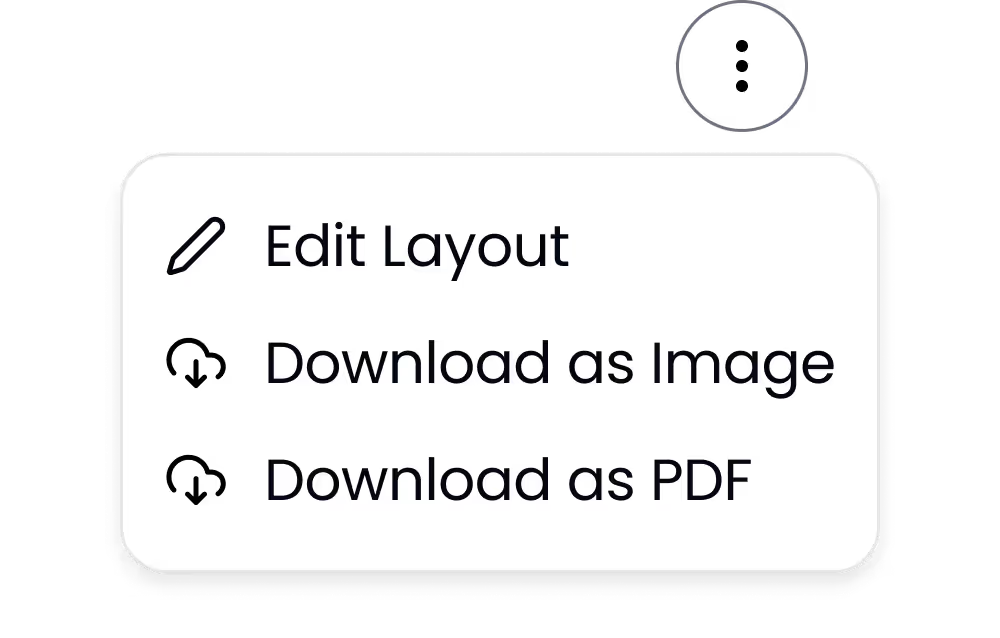
Download Your Whole Dashboard as an Image or PDF
Export your whole dashboard as a PDF or Image, allowing you to quickly and easily share your view.
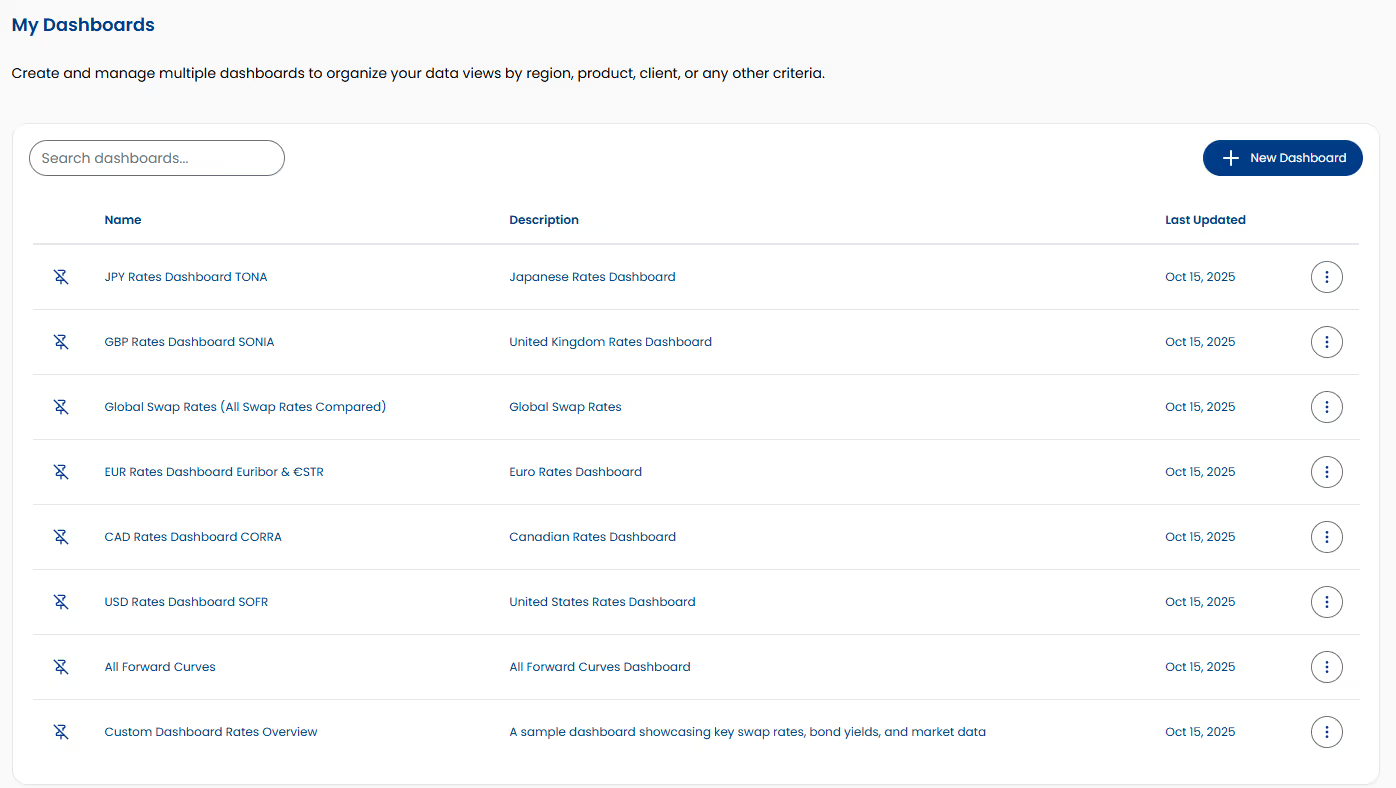
Create Multiple Dashboards
Compose multiple Dashboards, enabling you to easily switch between different market views or projects.
How to Create a Custom Dashboard
Its super simple to create a Custom Dashboard.
Here’s a quick walkthrough on how to do it.
Click “New Dashboard”
Enter a Name & Description for the Dashboard
Add Widgets
Save Layout
Watch a Quick Video of a Custom Dashboard Being Built
Our Clients Love Custom Dashboards
”For our CRE Debt Valuation Software Solution, we needed a reliable, cost-effective API for interest rate curves utilised in the valuation process. BlueGamma’s easy-to-integrate, ready-to-use forward curves and comprehensive coverage made them the clear choice.”

”We chose BlueGamma because they were the first to offer the service we needed, and their portal is extremely intuitive, making it easy to navigate and quickly access the information we require.”
”With BlueGamma’s rates data and swap pricing tools, Voltiq is able to structure the best funding package that reflect the current market conditions for each client. That means our clients go to market with sharper pricing, better understood cash flows and stronger case for lenders and investors.”
”BlueGamma has really streamlined things for us by allowing us to get all our data from one unified source. This has empowered our customers to generate more accurate predictions and make more informed strategic decisions regarding their debt and derivatives portfolios.”
”BlueGamma’s clean historical and real-time interest rate data gives our research and trading teams a stronger foundation for modelling risk and opportunity across markets. That’s a core advantage as we scale our platform.”
”BlueGamma provides exactly the depth of market data we need as a debt advisor and mortgage broker — no unnecessary noise, just precise, relevant information. Their support is lightning-fast, and they’re incredibly responsive in adding new features when we need them. This partnership enables us to make better, faster decisions for our clients.”
FAQs
Our dashboards are designed for near real-time visibility. Key data widgets, like swap rates, refresh in real-time as new data becomes available, allowing you to react faster to market movements and stay in sync with changing conditions.
Yes, absolutely. The dashboard is built for analysis over time. You can use dedicated widgets like the "Historical Swap Rate Chart" to display how a rate has moved, the "Forward Curve" widget to see how expectations have changed.
Custom Dashboards are a core feature of the BlueGamma platform.
While the dashboard itself is designed for visual analysis and exporting as a PDF or image, the underlying data can be integrated directly into your internal tools, models, and reporting pipelines using the BlueGamma API. This gives you the flexibility to use our clean, reliable data wherever you need it.
Absolutely. We build BlueGamma based on user feedback. Many of our features and widgets started as a specific request from a customer. If you have an idea for a new widget or need a specific data type, please let us know.
Yes. When you first use the feature, we provide an example dashboard to help you get started. Its a great way to see what’s possible and can serve as a template for building your own custom views.
Yes, everything is mobile-friendly!
See it in practice
Real tasks this feature was built for, from the use-case library.
"I send a rates update to clients every week — and rebuild it by hand every time"
Build a custom dashboard of curves, swap rates and historic overlays that refreshes itself, export to PDF, and let AI draft the commentary via the MCP connector.
See how →"The deal closes this afternoon and I need live rates"
Watch the exact tenor through pricing with 30-second refresh in the web app — no two-hour lag, no phoning the bank to hear what they choose to tell you.
See how →"I run a book of swaps — which payments settle this week, and are the amounts right?"
See every swap cashflow falling due in the next 48 hours across your whole book, with amounts confirmed the moment the floating rate fixes — so treasury can check the number and line up cash before it settles.
See how →