
Built by modellers, for modellers
Live swap rates and forward curves, straight into your cells. Type a function, pull the curve — no terminal, no copy-paste, no ‘as at close yesterday’. Your models stay live. You stay sane.
Free for 14 days · No card required · Installs in under 5 minutes
trusted by
















No More Manual Updates or Copying and Pasting
With the Add-In, you can:
Pull live swap rates and forward curves for 25+ benchmarks
Reference dates and indexes directly from cells
Stay synced with updated market data every 5 minutes
Use formulas designed to feel native to Excel
Simple Functions, Powerful Results
🔁 Get Swap Rates
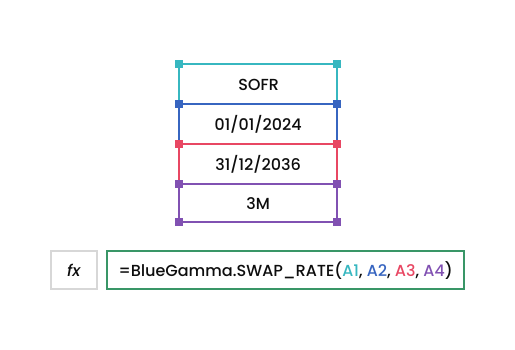
=BlueGamma.SWAP_RATE(index, start_date, maturity_date, payment_frequency, [valuation_time])
=BlueGamma.SWAP_RATE("SOFR", "2024-01-01", "2036-12-31", "3M")
📈 Get Forward Rates
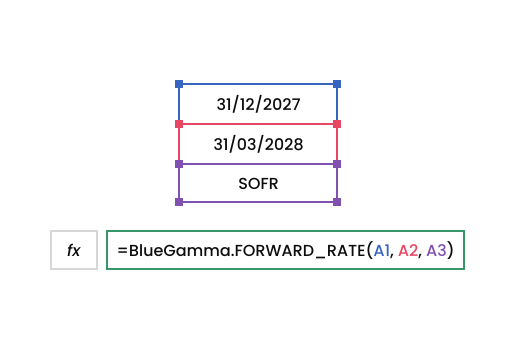
=BlueGamma.FORWARD_RATE(index, start_date, end_date, [valuation_time])
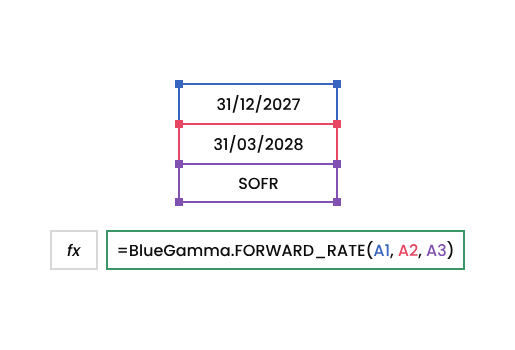
=BlueGamma.FORWARD_RATE("SOFR", "2027-12-31", "2028-03-31")
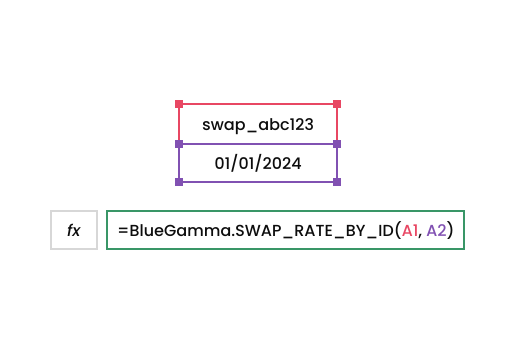
🔗 Get Swap Rate by ID
=BlueGamma.SWAP_RATE_BY_ID(swap_id, [valuation_time])
=BlueGamma.SWAP_RATE_BY_ID ("swap_abc123", "2024-01-01")
Setup & Compatibility
Works with Excel for Windows and Mac
Compatible with both Excel Desktop and Excel 365 (Web)
Easy installation – get started in under 5 minutes
Trusted by Deal Teams
”For our CRE Debt Valuation Software Solution, we needed a reliable, cost-effective API for interest rate curves utilised in the valuation process. BlueGamma’s easy-to-integrate, ready-to-use forward curves and comprehensive coverage made them the clear choice.”

”We chose BlueGamma because they were the first to offer the service we needed, and their portal is extremely intuitive, making it easy to navigate and quickly access the information we require.”
”With BlueGamma’s rates data and swap pricing tools, Voltiq is able to structure the best funding package that reflect the current market conditions for each client. That means our clients go to market with sharper pricing, better understood cash flows and stronger case for lenders and investors.”
”BlueGamma has really streamlined things for us by allowing us to get all our data from one unified source. This has empowered our customers to generate more accurate predictions and make more informed strategic decisions regarding their debt and derivatives portfolios.”
”BlueGamma’s clean historical and real-time interest rate data gives our research and trading teams a stronger foundation for modelling risk and opportunity across markets. That’s a core advantage as we scale our platform.”
”BlueGamma provides exactly the depth of market data we need as a debt advisor and mortgage broker — no unnecessary noise, just precise, relevant information. Their support is lightning-fast, and they’re incredibly responsive in adding new features when we need them. This partnership enables us to make better, faster decisions for our clients.”